
Inventory
Find belongings quickly, track family supplies, and see low stock, maintenance, repair, and warranty needs at a glance.
Home and family organizer
Nestiva brings your calendar, tasks, reusable lists, expenses, and belongings into one app built for everyday home life. Start in your own personal space, then create a household when you want to organize together.
What it covers
Find belongings quickly, track family supplies, and see low stock, maintenance, repair, and warranty needs at a glance.
Log household spending and review the month without turning a small budget check into spreadsheet work.
Keep daily chores, priorities, due times, and recurring routines visible and easy to complete.
Keep packing, errands, shopping, project steps, and any other reusable checklist together in one flexible place.
See timed, all-day, and multi-day events in Today, 3 Days, Weekdays, or full Week views.
Start with your own personal space, then invite a partner or family member when you want to manage your home together.
Learn Nestiva
Browse 60 focused guides for expenses, balances, inventory, lists, tasks, calendar, Capture, and household sharing.
Home and family articles
Practical, source-backed articles about home inventory, family expenses, schedules, chores, reusable lists, and choosing the tools that fit.
Why Nestiva
See how inventory, care, expenses, tasks, calendar, and reusable lists become more useful when they share one household context.
Read why Nestiva is connected →Home inventory
Find the right way to organize rooms, boxes, photos, warranties, maintenance, and important household records.
Read article →Family expenses
Explore simple manual tracking, shared wallets, bank-connected tools, budgeting styles, and household privacy.
Read article →Family organization
Explore the family tools that keep schedules, responsibilities, and lists moving together.
Read article →Home inventory
Keep a simple record of your belongings and everyday supplies, so you always know what is at home, where it lives, and when it needs attention.

Family calendar
Use a clear 24-hour timeline for your own schedule or a shared household. Events appear directly in each day, with colors that make different calendars easy to recognize.

Shared reusable lists
Start with Shopping list and Packing list, then create lists for errands, supplies, projects, or anything else. Archive lists when they are out of the way and restore them whenever they are useful again.
Passport
OpenPhone charger
OpenBook hotel
CompletedShopping list2 items
Packing list4 items
Home project1 item
Household sharing
Every account begins with a personal space. Create a household when you want to keep calendars, tasks, lists, expenses, and belongings in sync with a partner or family member.
Calendar events, inventory, rooms and areas, storage boxes, categories, tasks, and lists.
Expenses, budgets, receipt attachments, and Money Accounts are shared alongside the rest of your household information.
For now, owners invite members and everyone can view the member list. Advanced member management is not required to get started.
Good to know
Straight answers about personal spaces, family calendars, household sharing, money tracking, backups, and plans.
Yes. Every signed-in user has a personal workspace for calendars, inventory, expenses, tasks, lists, budgets, and Money Accounts. Household sharing is optional.
Everyone starts with a personal workspace. Free members can join one household by invitation, while Plus members can create and share household spaces.
When a household workspace is active, members share calendars, inventory, areas, storage boxes, categories, tasks, lists, expenses, budgets, receipt attachments, and Money Accounts. Personal workspace data remains separate.
Nestiva supports Today, 3 Days, Weekdays, and full Week views. Events can be timed, all day, multi-day, weekly, and organized with custom color-coded calendars.
A Nestiva household invite code is single-use and expires after seven days. Share it privately with the person you intend to invite.
Free includes core calendar, inventory, expenses, tasks, lists, the dashboard, basic analytics, and the ability to join one invited household. Plus adds household creation and broader collaboration, Capture, photos and receipt attachments, advanced analytics, export and backup, and higher limits.
No. Money Accounts are manually managed balances. Nestiva does not connect to financial providers or store account numbers, card numbers, credentials, statement days, or payment due dates.
Yes. Expenses and Money Accounts retain their own currencies. Budgets use the active workspace's default currency, and Nestiva excludes other-currency expenses from combined totals instead of guessing an exchange rate.
Nestiva Plus can export the active personal or household workspace as a versioned ZIP with restore-ready JSON and readable CSV files. Attachment references are included, but media files are not downloaded into the archive.
Voice recordings and submitted images are not persisted by the analysis backend. Suggestions remain editable and nothing is saved until you confirm. A photo is retained only when you explicitly choose Keep receipt for an expense.
Nestiva is currently available for iPhone on the App Store. The app supports English, Vietnamese, Spanish, French, German, Japanese, Korean, Chinese, Arabic, Hindi, Portuguese, and Russian.
Simple pricing
Start with a private personal space, join one invited household for free, or upgrade to Plus for full household collaboration and Capture from text, voice, or photos.
Free
Core home management for personal use.
Most popular
Payment is charged to your App Store account. Plus renews automatically unless canceled at least 24 hours before the end of the current period. Prices shown are for the US storefront; localized App Store pricing appears before purchase. Manage or cancel in your App Store account.
Real app screens
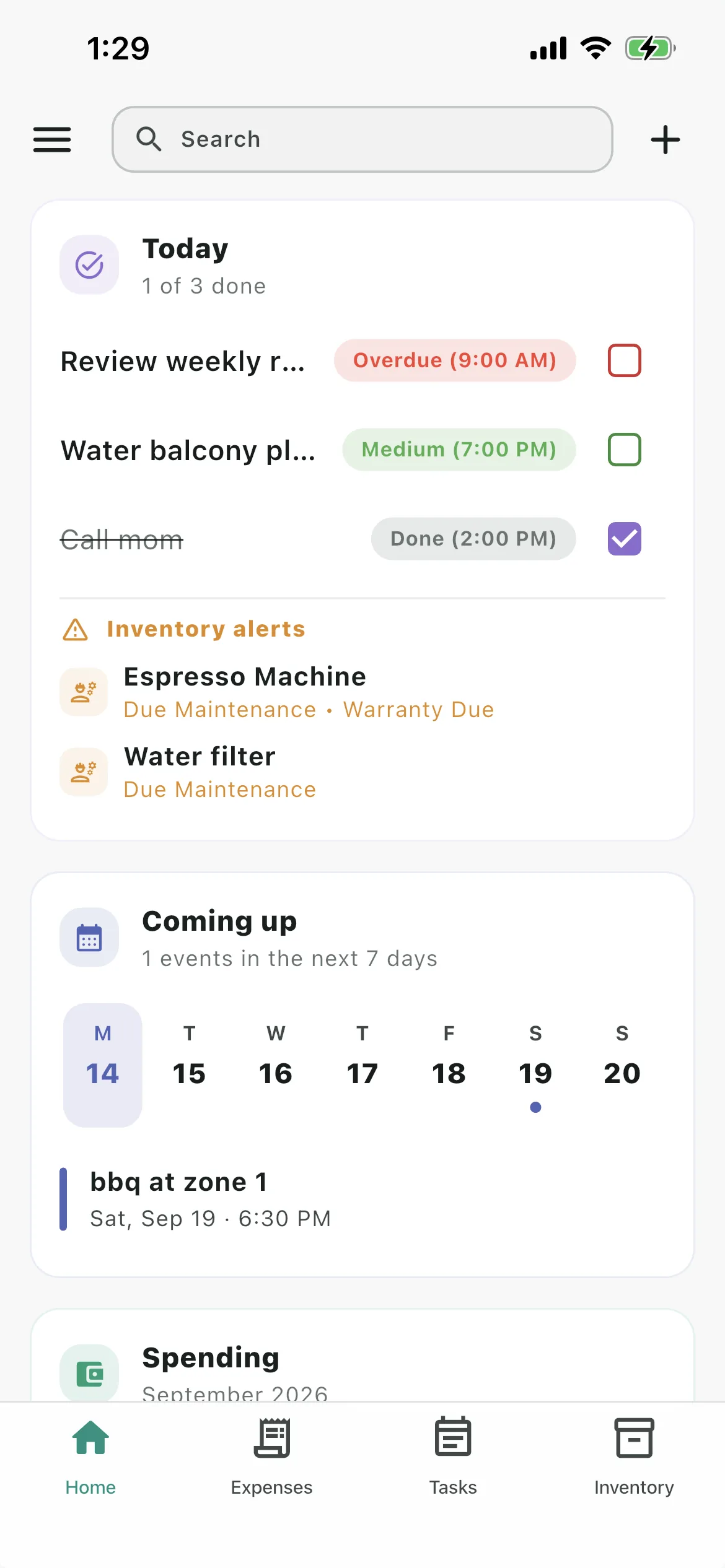
The screenshots below use a test account with natural sample data for calendar events, tasks, reusable lists, inventory, and expenses.


Download Nestiva from the App Store and keep your calendar, tasks, lists, expenses, inventory, and household spaces close at hand.